.png)
Recover Your Account
Locked out? Don't sweat it...we’ve all been there. Whether your password decided to take a permanent vacation or you're just doing some digital spring cleaning, we’ll help you get back into your account in no time.
What we’ll cover:
-
Find the Recover Your Account link
-
Enter your username and recovery code.
-
Create and confirm your new password.
-
Login to Spilled Out
On the Log In screen, tap "Recover Your Account" at the bottom

-
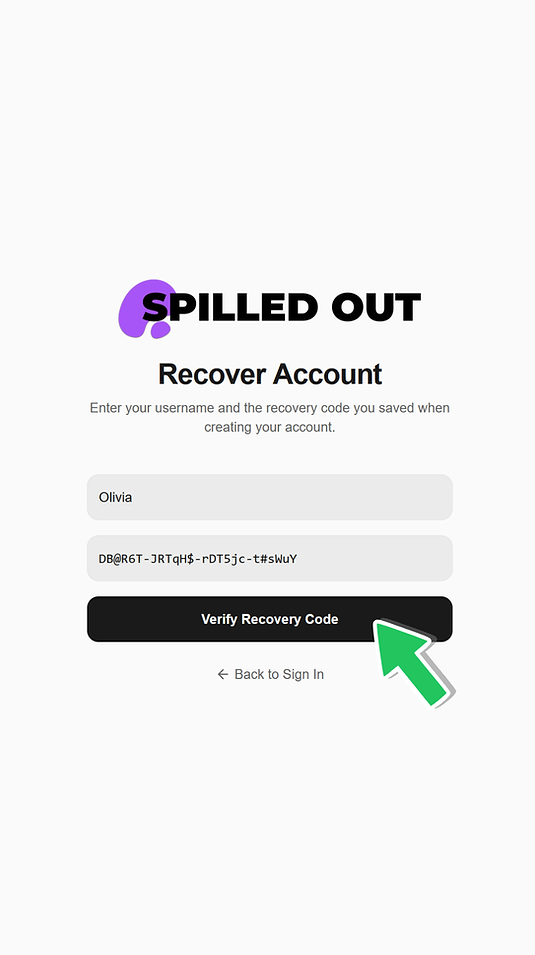
On the Recover Account screen, enter your Username and the Recovery Code you saved when creating your account.
-
Then tap the "Verify Recovery Code" button at the bottom
-
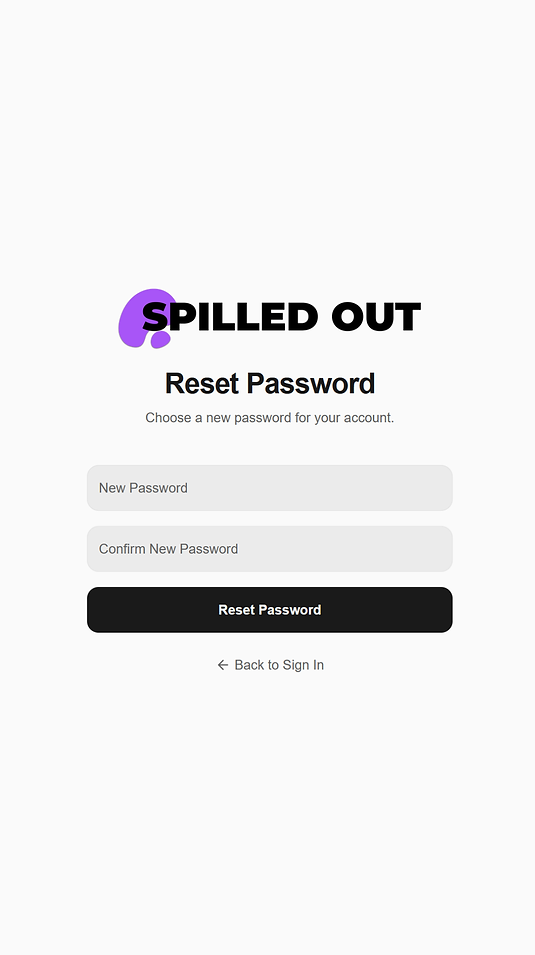
You will then be able to Reset Your Password.
-
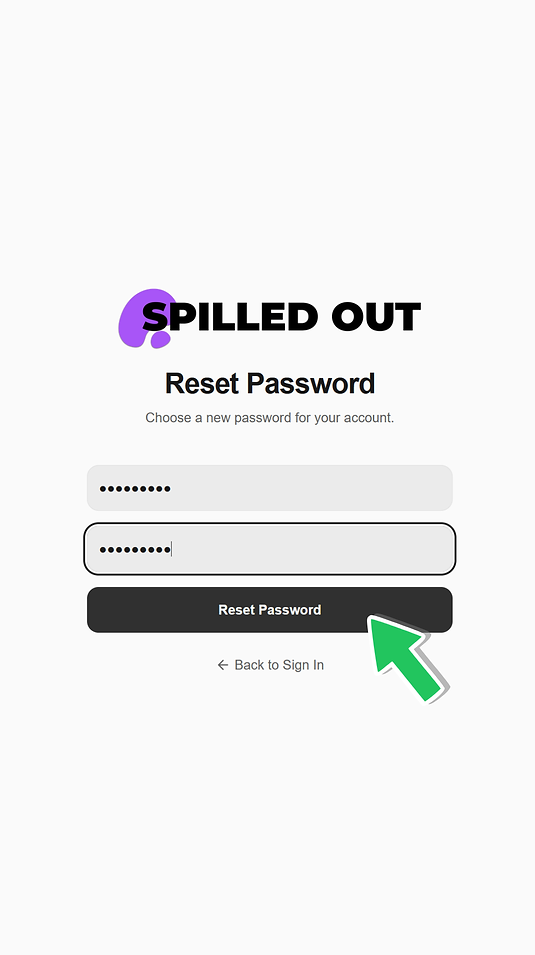
On the Reset Password screen, enter your New Password, and Confirm your New Password.
-
Tap the Reset Password button
-
You will be redirected to the Login page

-
Enter your Username and your New Password.
-
Tap the Sign In button

